 Cutlist Pro · for Windows
Parts in. Board layout and priced invoice out.
Stop wasting hours on manual cut sheets and quotes. Input your panels, press Generate, and walk away with precise shop layouts and customer invoices in under two minutes. Built for pros who cut sheet material.
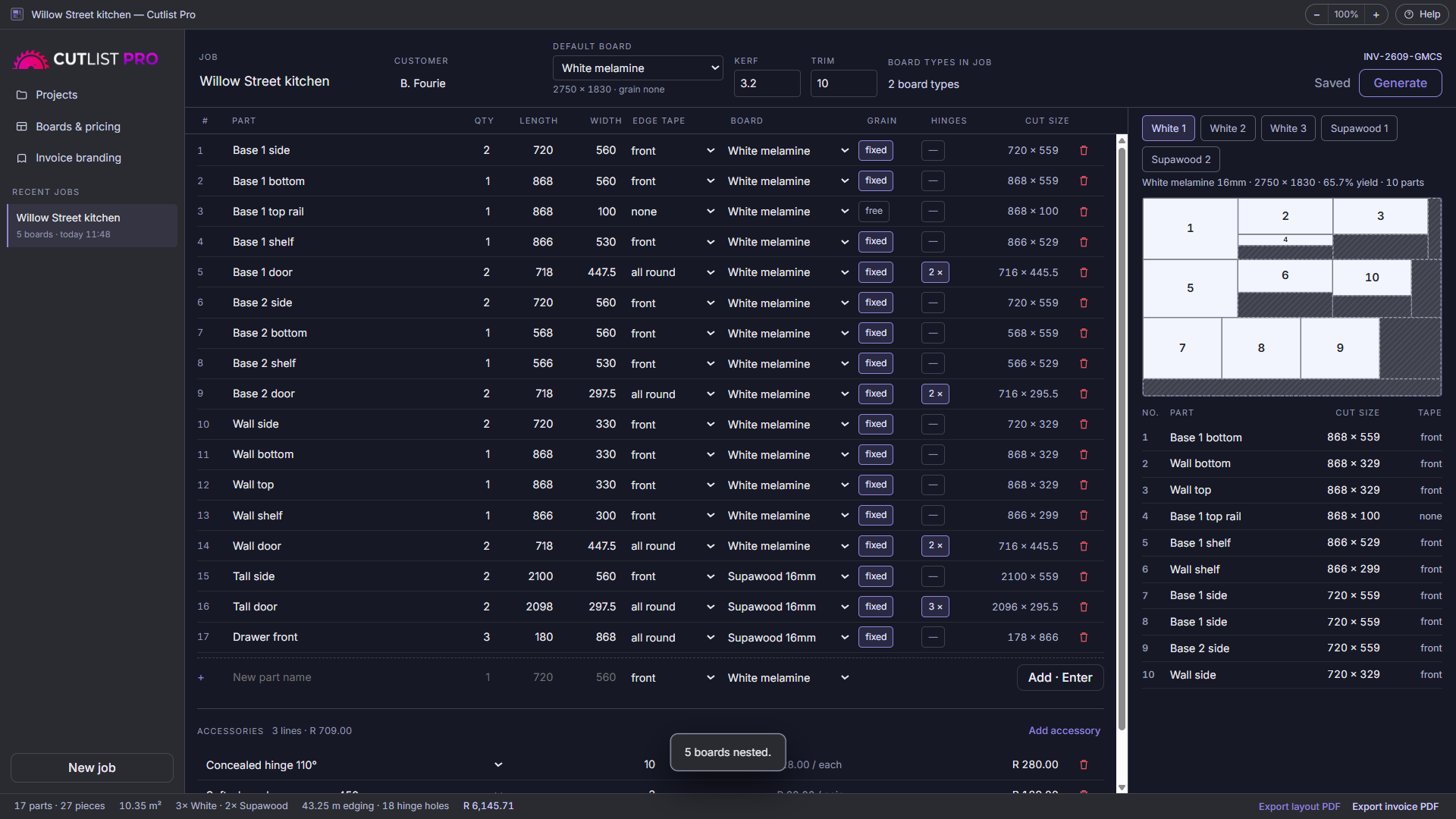
Five screens, one job
From a list of parts to a finished invoice, without retyping a single price.
It pays for itself the first time it saves you a sheet
Put your own numbers in. Better nesting means fewer boards for the same job.
An illustration, not a promise. What you actually save depends on your parts, your boards and how you were nesting before. The point is the order of magnitude: on most kitchens, a few percent of board is worth more than the app costs.
It doesn't stop at the cutting diagram
Most optimisers hand you a layout and leave the pricing to you.
Nesting that respects reality
Your blade kerf and edge trim are honoured on every cut, grain direction is respected where it matters, and offcuts are drawn so you know what is left on the board.
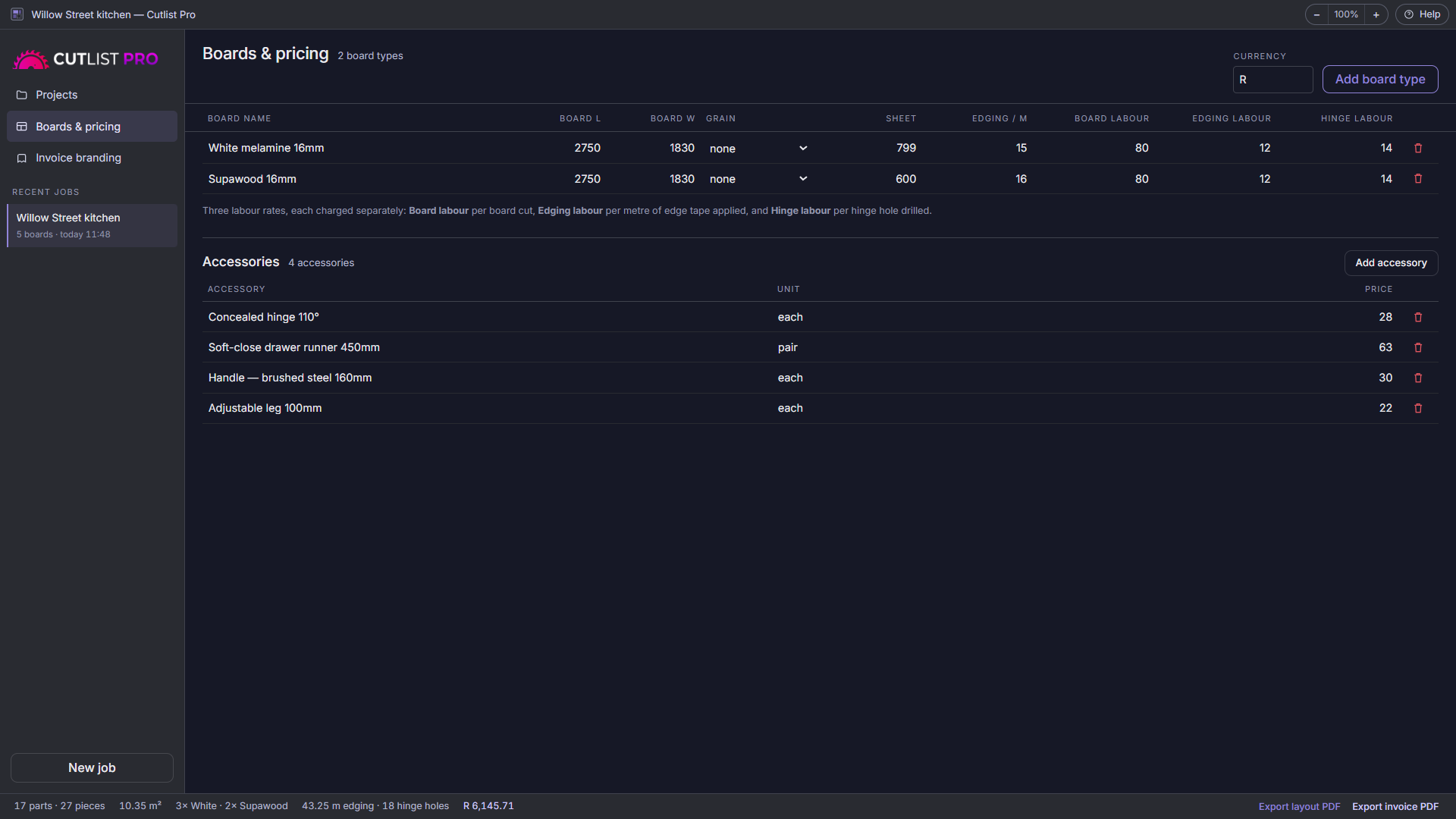
Three labour rates
Per board cut, per metre of edge tape applied, and per hinge hole drilled — because that is how the work actually breaks down. Set them once per board type.
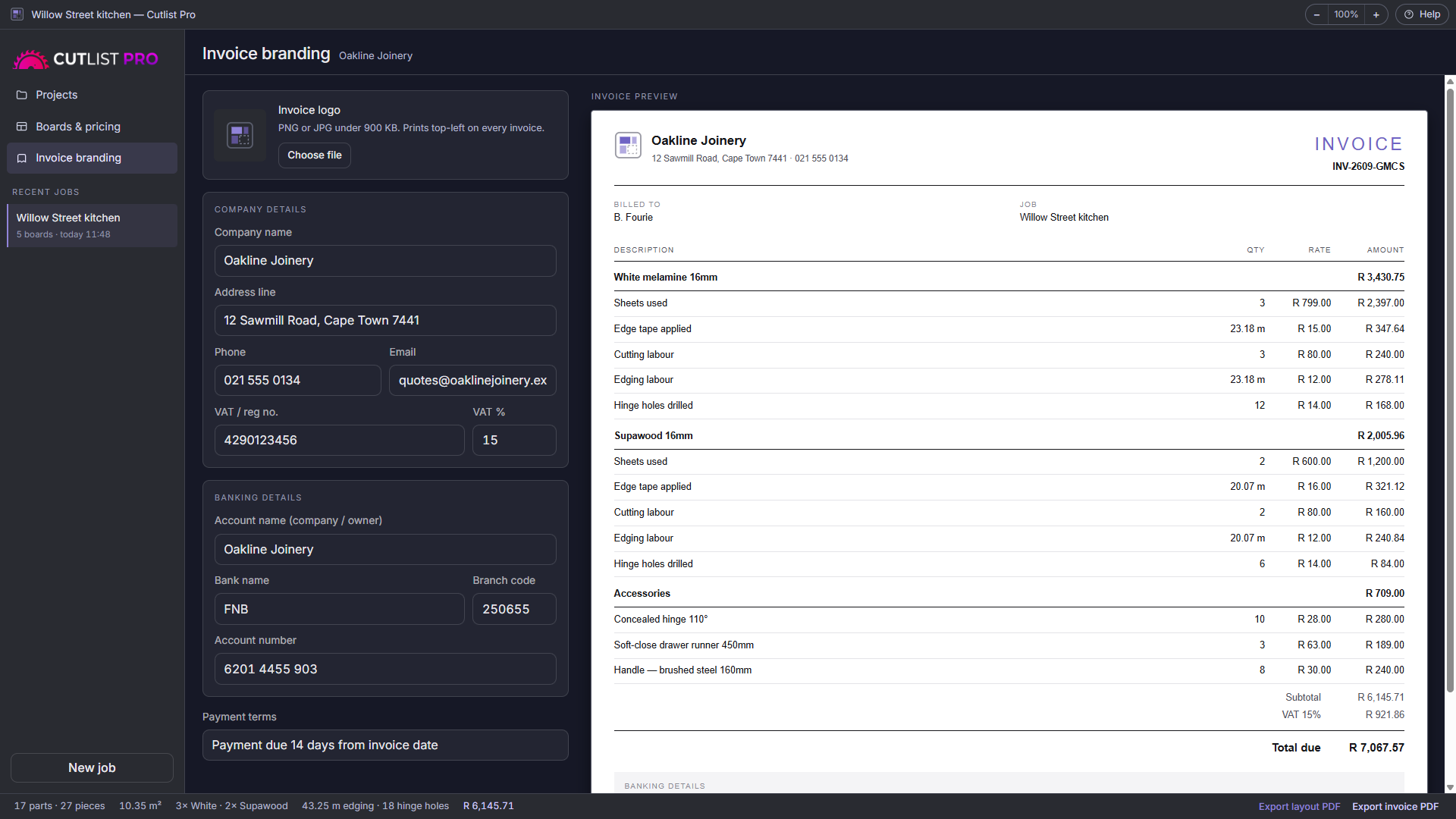
Invoices that look like yours
Your logo, company details, VAT number, payment terms and banking details on every invoice. Layout PDF for the shop, invoice PDF for the customer.
Your prices, your library
Board types, sheet costs, edging per metre, and an accessory list for hinges, runners, handles and legs. The invoice reads these — no re-typing rates.
Find any job
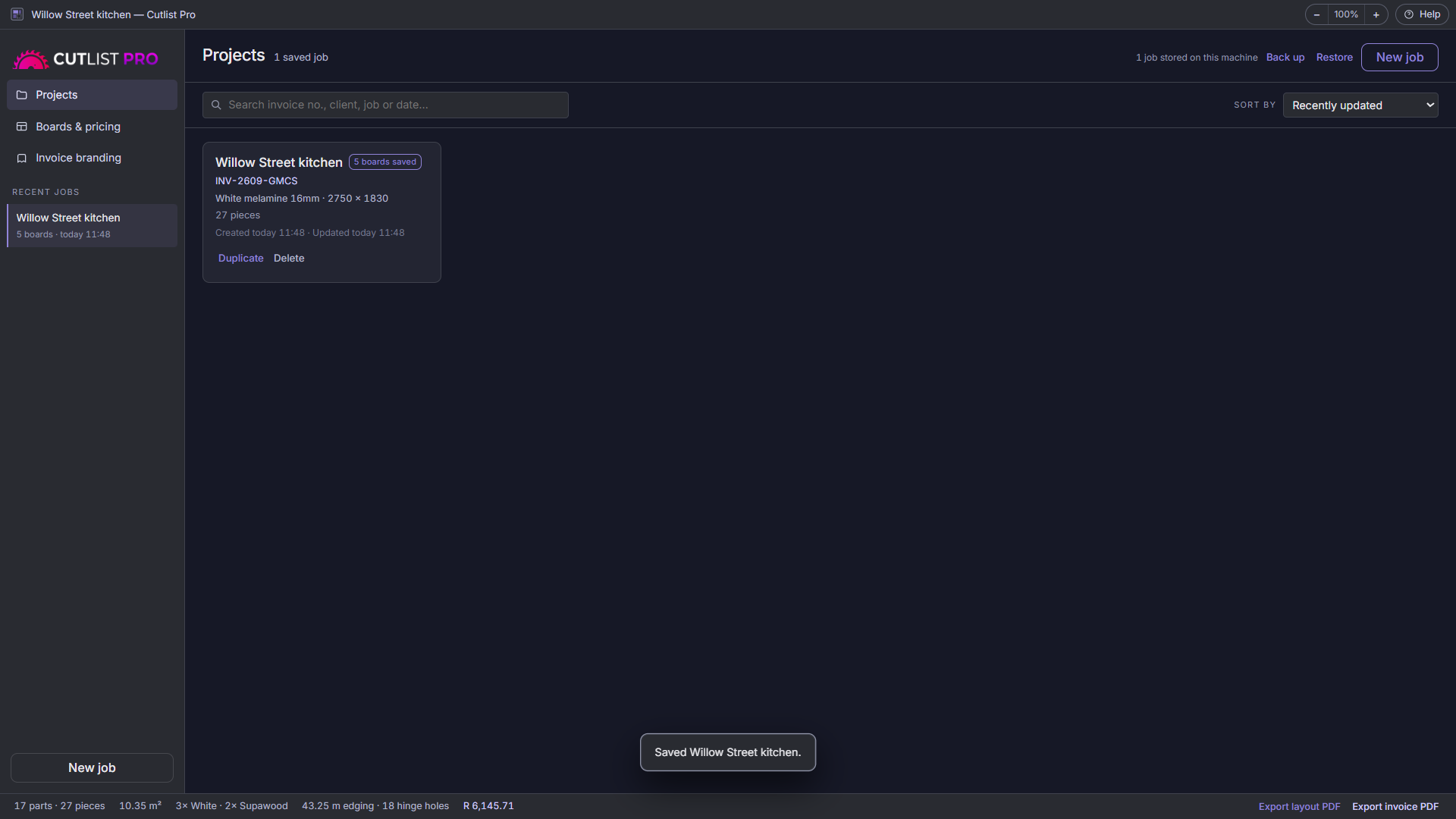
Search by invoice number, client name, job or date. Every project records when it was created and when you last touched it.
Built for the workshop
Scales from 85% to 200% so it reads at arm's length on a dusty screen. Columns drag to the widths you want. Everything saves itself as you type.
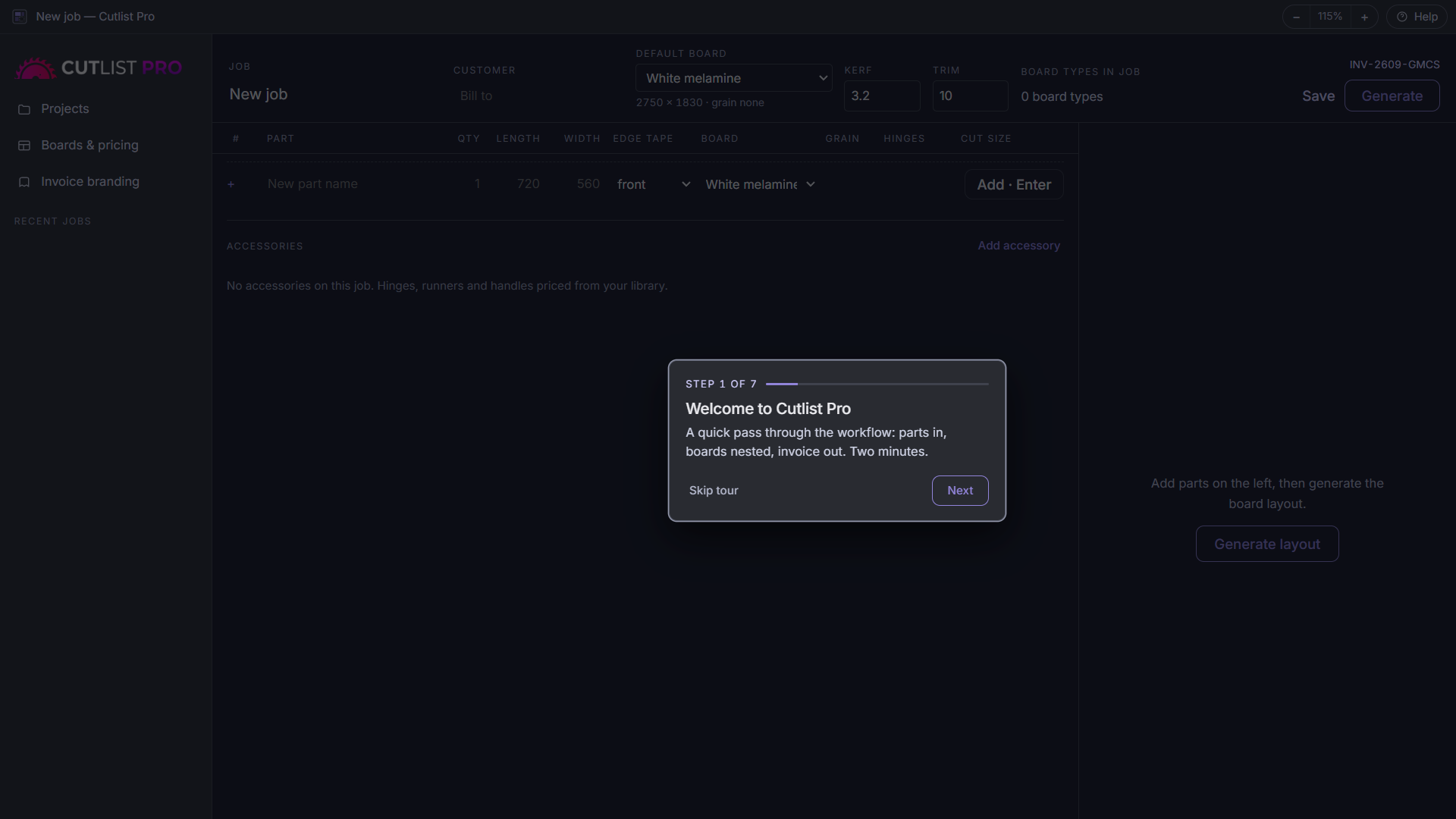
Three steps, no training
Type your parts
Name, quantity, length, width. Set edge tape, board type and hinge holes per part. Cut sizes update as you go.
Press Generate
Every piece is laid onto your boards, grain respected, kerf and trim accounted for. You get the board drawings and the cut list.
Send the invoice
Boards, edging, labour, hinge holes and accessories are already priced from your library. Export both PDFs and get on with the job.
Buy it once
No subscription. No account. No renewal that arrives every year whether you used it or not.
- 30-day free trial — the whole app, nothing held back
- Unlimited parts per job, no tiers or caps
- Board nesting, cut lists and layout PDFs
- Branded invoices with VAT and banking details
- Works completely offline — your data stays on your machine
- Windows 10 and 11, 64-bit
Sold through the Microsoft Store, so payment, VAT and updates are handled by Microsoft. Prices outside South Africa are shown in your local currency.

RLab
RLab builds small, sharp desktop software for people who work with their hands. No subscriptions, no accounts.
Another tool is on the way
Cabinetry is next — draw a carcass from three dimensions and get every panel size worked out for you. If you would like to know when it lands, send me a line.
One email when it is ready. Nothing else, and no list you have to escape from — I only ever have the address you sent me from.